

08/10/2026
Backup Internet for Business in South Africa: How Failover Works
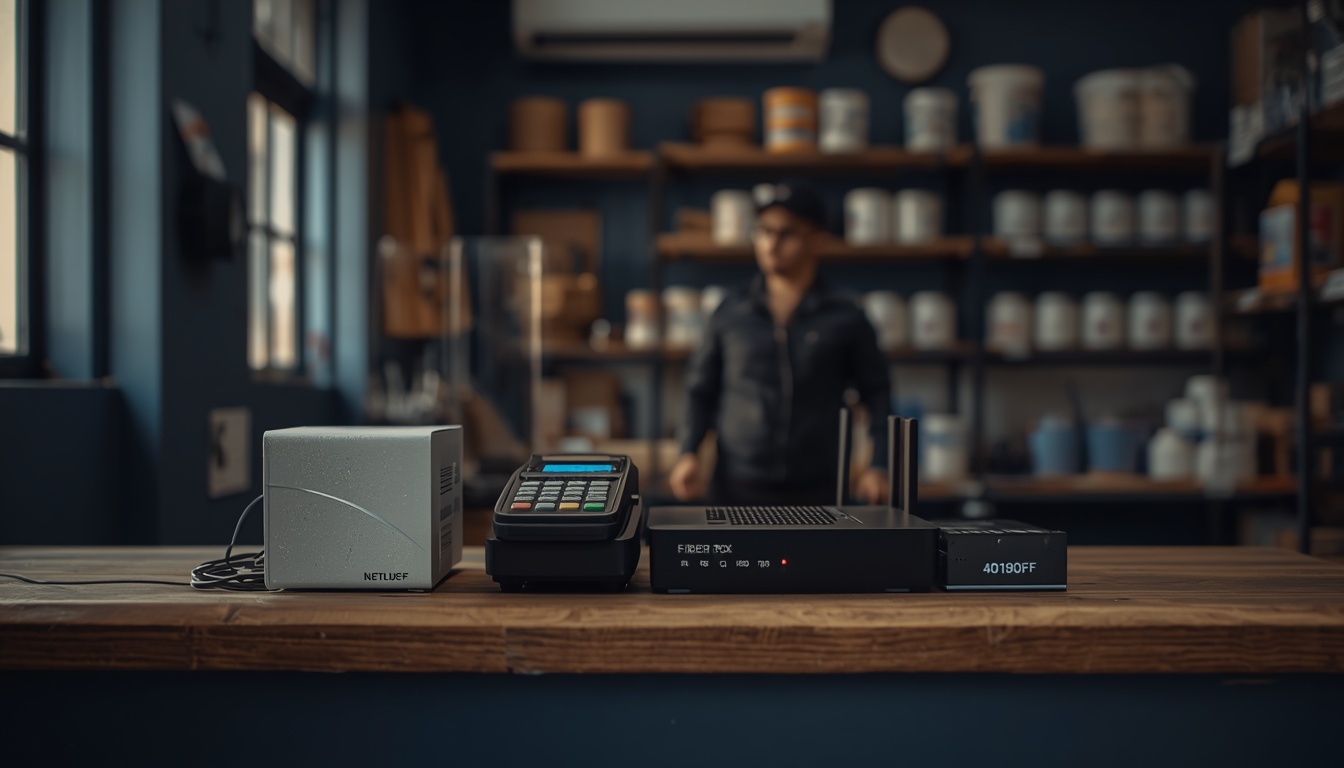
Backup internet for business is a second connection that takes over when your main line fails, so your card machines, calls and cloud apps keep working while the fault gets fixed. In South Africa that second line matters more than it does in most markets, because fibre gets cut by contractors, copper and batteries get stolen, and a repair that "should be quick" can run into days.
Below: how failover works, why the backup path must be physically different, how to size it and what to keep running on it. For the connection options themselves, our business internet solutions page lists fibre, 5G Business, LTE, Wireless and Managed Satellite in one place.
Table of contents
- Why backup internet for business matters more in South Africa than most places
- What internet failover actually does when your fibre drops
- Automatic failover and manual failover behave very differently
- Your second line needs a different physical path
- Comparing backup internet options side by side
- How to size a backup line without overpaying
- Decide what keeps running on backup before the outage
- A checklist for choosing backup internet for business
- Four things that quietly break a failover setup
- Frequently asked questions about backup internet for business
- Get a backup line scoped for your site
Why backup internet for business matters more in South Africa than most places
Most outages here happen in the street, far from your provider's network core. A trench gets dug in the wrong place, a pole gets knocked over, or someone lifts cable for scrap.
Openserve's then CEO said the company had spent more than R1.5 billion on theft prevention and network rehabilitation over five years, and that figure excluded lost revenue and the cost of the disruption itself.
Mobile networks carry the same risk. Vodacom's Chief Risk Officer put the group's losses at roughly R100 million a year to vandalism and battery theft, with restoration costing up to R100,000 per site. He's also warned that each theft incident can leave the network in that area down for days.
Nobody controls how long it takes to replace stolen equipment or make a trench safe. The only part of the outage you control is what your business does in the meantime.
Picture a shop on a Saturday morning. A contractor two streets away cuts the fibre. The card machines go offline, the phones stop ringing because the PBX lives in the cloud, and customers without cash walk out. Nothing in that business was broken. It simply had one road to the internet, and the road was closed.
If you want a rand figure for your own business, the Downtime Cost Calculator works it out from your revenue, staff and outage frequency. We've also written about what network downtime actually costs a South African business in more detail.
What internet failover actually does when your fibre drops
Failover is the process of moving traffic from a failed connection to a working one. It needs three pieces to work.
- A second connection, usually LTE, 5G or fixed wireless, sometimes a second fibre line from a different network operator.
- A dual-WAN router or firewall with two internet ports that knows which one is primary.
- A rule for when to switch, based on whether the main line can actually reach the internet.
The third piece is where cheap setups fall over. A basic router only checks whether the fibre box has a light, and plenty of outages leave the light on while nothing gets through. A properly configured dual-WAN device pings real internet destinations every few seconds and switches when those checks fail.
When the main line comes back, the router has to switch back too. That's called failback. Set it to wait a few minutes after the fibre recovers, otherwise a flapping line will bounce your traffic back and forth and drop every call twice.
Automatic failover and manual failover behave very differently
Manual failover means someone notices the internet is down, then plugs in or switches on the backup. It's the LTE router in the cupboard, or a staff member's phone hotspot. It costs less to set up and it's better than nothing.
The problems are predictable. Nobody notices until a customer complains, the person who knows the setup is on leave, or the backup SIM has expired. Every device then has to reconnect to a new Wi-Fi network.
Automatic failover uses a dual-WAN router or firewall that holds both connections live all the time. When the main line fails its checks, traffic moves across in seconds to a minute or so, depending on how the checks are set. Staff might see a page stall or a call drop once. The network name, the printers and the card machines stay the same.
If you take card payments, run calls over the internet or work in cloud apps all day, automatic failover is the sensible default. Manual suits a very small office where an hour offline is an irritation.
Your second line needs a different physical path
Most backup guides skip this, and it's why some businesses pay for two connections and still go offline. Two fibre lines from two ISPs can run through the same duct into the same building entry point. One trench cut takes both down.
Ask these questions before you treat a second fibre line as a backup:
- Does it come from a different fibre network operator, or only a different ISP reselling the same one?
- Does it enter the building at a different point?
- Does it run along a different street, or at least a different duct?
Wireless backup (LTE, 5G or a point-to-point Wireless link) avoids the shared trench because there's no cable in the street. It carries its own risk: towers depend on batteries and power, and as the Vodacom figures above show, those get stolen too.
So pick a backup that fails for different reasons than your main line. Fibre fails when something happens to the cable. LTE and 5G fail when something happens to the tower. Both in the same hour is unlikely. For remote sites with weak coverage, Managed Satellite avoids local ground infrastructure entirely.
Comparing backup internet options side by side
The right backup depends on your main line, your site and what has to keep working.
| Backup option | Shares a path with fibre? | Typical setup | Main risk | Best fit | |---|---|---|---|---| | LTE backup | No, uses cell towers | SIM in a dual-WAN router or a separate LTE router | Weak signal indoors, data caps, tower outages | Small offices and shops with decent coverage | | 5G Business | No, uses cell towers | 5G router on the second WAN port | Coverage still patchy outside metros | Offices that need more speed on backup, such as video calls | | Fixed Wireless or Wireless Air | No, uses a radio link | Antenna on the roof with line of sight to a high site | Needs line of sight, weather can affect some links | Business parks, multi-tenant buildings, sites with poor LTE | | Second fibre line | Possibly, check the route | Second fibre from a different network operator | Shared ducts or entry points | Larger offices that need full speed on backup | | Managed Satellite | No, uses satellite | Dish plus router, often managed | Higher latency on some systems, cost | Remote sites, farms, mines, places with no other option | | Phone hotspot | No, uses cell towers | Someone tethers a laptop | Manual, one device at a time, drains personal data | An emergency stopgap, never a plan |
If you're weighing LTE as a main connection rather than a backup, our comparison of LTE vs fibre for your business covers when each one makes sense on its own.
How to size a backup line without overpaying
Most businesses need enough on backup to keep the money and the conversations flowing for a few hours. Size it from the workloads, then add headroom.
Start with calls. Microsoft's own guidance for Teams puts recommended bandwidth at 58 kbps per user for audio and 1.5 Mbps for a one-to-one video call. So ten people on voice calls at once need well under 1 Mbps. Ten people on video calls need closer to 15 Mbps.
Card machines send small amounts of data per transaction. Uptime matters to them far more than speed.
Then add the things that are heavy:
- Video meetings and screen sharing
- Large file uploads to cloud storage
- Software and Windows updates
- CCTV footage going off-site
A sensible process looks like this:
- List the people and devices that must keep working during an outage.
- Add up what they need at the busiest moment, using the figures above as a guide.
- Add roughly half again as headroom.
- Check what LTE, 5G or Wireless can actually deliver at your address, indoors, where the router will sit.
A 5G signal that's strong in the car park can be weak behind a concrete wall. A site check, or our free Connectivity Health Check, helps you see where you stand before you commit.
Decide what keeps running on backup before the outage
Failover moves all traffic by default. On an LTE backup with a data bundle, one laptop syncing a photo library can burn the month's data in an afternoon.
Decide in advance what gets priority. A typical order looks like this:
- Card payments and POS, the closest thing to lost revenue by the minute. Our connectivity checklist for card payments goes into the specifics.
- Voice calls. If your phones run over the internet, keep them on the backup line or divert calls to mobiles. Our mobile and voice solutions cover both approaches.
- Core cloud apps such as email, accounting and CRM.
- Everything else. Updates, backups and large downloads can wait for the fibre.
Business-grade dual-WAN routers let you keep low-priority traffic off the backup. Set those rules on a calm Tuesday, before the outage.
A checklist for choosing backup internet for business
Work through this list before you sign anything.
- [ ] Is the backup path physically separate from the main line, with no shared trench, duct or entry point?
- [ ] Does it fail for different reasons than the main line (cable vs tower vs satellite)?
- [ ] Has coverage been checked at the exact spot the router will sit, indoors?
- [ ] Is failover automatic, with health checks that test real internet access?
- [ ] Is failback delayed so a flapping line doesn't drop calls twice?
- [ ] Are card machines, POS and phones on the priority list?
- [ ] Does the backup data allowance cover a full working day of priority traffic?
- [ ] Are the router and the fibre box on a UPS, so a power dip doesn't kill both lines?
- [ ] Is there one named person to call when the main line fails, and do they know both connections?
- [ ] Is there a written restoration time for the main line, in hours?
That last item is worth pushing on. A provider that can't give you a response time in hours, in writing, is telling you something. Vague phrases like "priority support" usually mean the real number would be embarrassing if they wrote it down. Backup internet buys you time, but you still need to know how much time you're buying.
Want a second line that's actually independent of the first? Tell us your address and what has to keep running, and we'll come back with options that fit the site. Request a callback.
Four things that quietly break a failover setup
The backup line usually works. What fails is everything around it, and all of it is easy to fix in advance.
1. Your public IP address changes
On LTE, traffic leaves from a different public IP address. Anything that only trusts your fibre IP stops working: VPNs, IP-whitelisted banking or accounting portals, remote camera access. Add the backup IP or move those systems to a method that doesn't depend on it.
2. The power goes before the internet does
If the fibre box, router and switch aren't on a UPS, a short power dip takes the whole network down. Load-shedding taught many businesses to fit one. Check it still holds a charge, because batteries wear out quietly.
3. Nobody has tested it
An untested backup is a guess. Unplug the main line once a quarter during a quiet hour. Do card machines reconnect? Do calls hold? Then plug it back in and confirm failback works.
4. The backup SIM is on the wrong plan
Idle backup SIMs get suspended, or the bundle runs out on the first busy day. Put the SIM on a business plan suited to occasional heavy use, with an alert when it's active.
Frequently asked questions about backup internet for business
What is backup internet for business?
Backup internet for business is a second internet connection that takes over when your main line fails. It's usually LTE, 5G or fixed wireless behind a dual-WAN router, so card machines, calls and cloud apps keep working while the main fault gets fixed.
Is LTE backup the same as internet failover?
LTE is the connection, and failover is the process of switching to it. An LTE router in a cupboard is a manual backup. Automatic failover needs a dual-WAN router or firewall that monitors the main line and moves traffic across on its own.
How fast does dual-WAN failover switch over?
It depends on how the health checks are set. A well-configured router usually switches within seconds to about a minute. Calls in progress may drop once, but new calls and transactions carry on over the backup line.
Can I use my existing router for failover?
Only if it supports dual-WAN or a built-in LTE/5G modem with failover rules. Many ISP-supplied routers have one internet port and no failover logic. A business-grade router or firewall is usually needed for automatic switching.
How much data does a backup internet line use?
Card payments and voice calls use very little, while video meetings, cloud syncs and updates use a lot. Priority rules that keep only essential traffic on the backup keep the data allowance under control.
Do I need backup internet for business if my fibre rarely goes down?
If an outage would stop you taking payments, answering calls or serving customers, yes. The question is how much an afternoon offline costs, and the Downtime Cost Calculator gives you a rand figure to compare against the monthly cost of a backup line.
Will a backup line work during load-shedding or a power outage?
Only if your own equipment has power. Put the fibre box, router and switch on a UPS. Cell towers have their own backup power, but long outages and battery theft can still affect mobile coverage in an area.
Should my second line be fibre or wireless?
Wireless (LTE, 5G or a fixed Wireless link) avoids shared trenches with your main fibre, which makes it the safer default. A second fibre line from a different network operator works well for larger offices that need full speed on backup, as long as the physical route is different.
Get a backup line scoped for your site
A good backup setup is specific to the building: which fibre network is in your street, how strong LTE and 5G are inside your walls, and what your business can't afford to lose for an afternoon.
BIS works with 11 fibre network operators, including Openserve, Vuma, Frogfoot, MetroFibre, Octotel, DFA and Link Africa, alongside 5G Business, LTE, Wireless and Managed Satellite. That range lets us pick a backup path that fails for different reasons than your main line. You can see the full set of options on our business internet solutions page.
Tell us your address and what has to stay online, and one named person will come back with a straightforward answer.